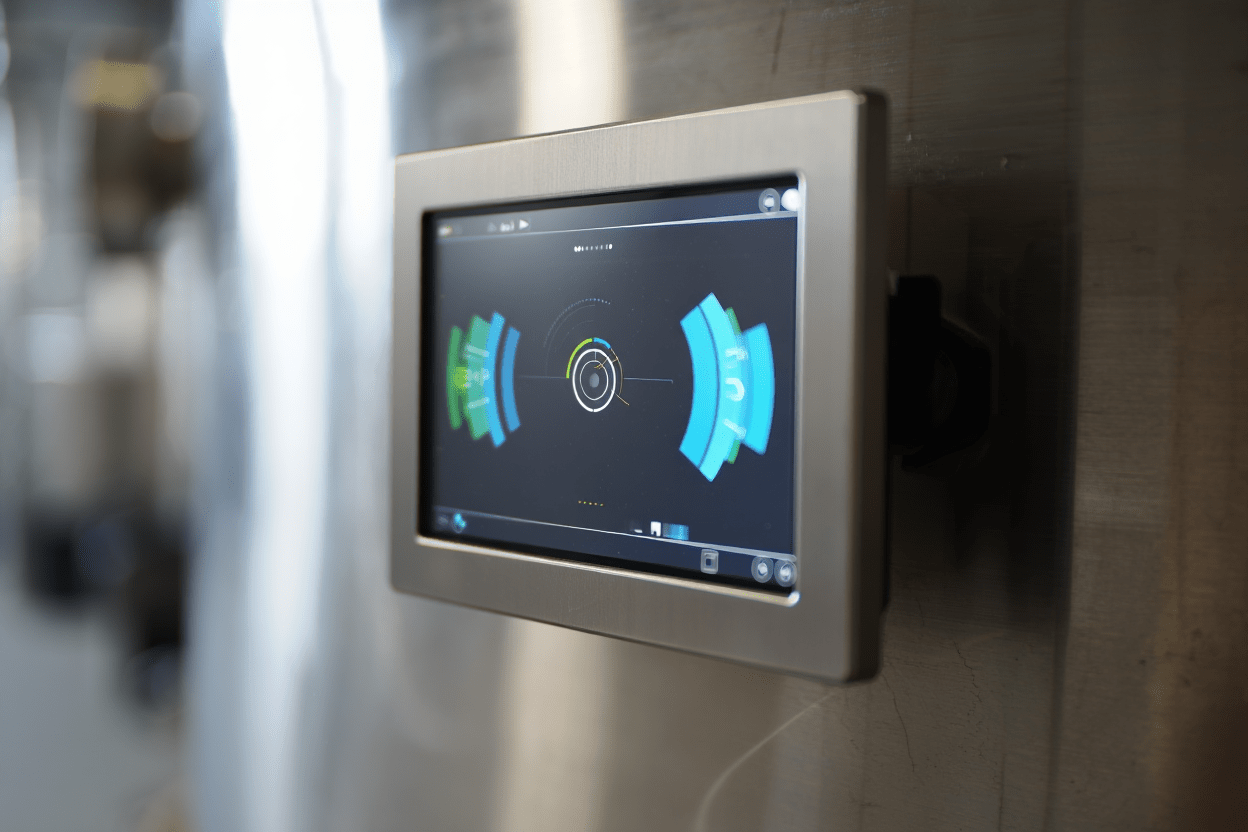


At Bierman Equipment, we help feed mills bring batching, inventory, formulas, and reporting into one connected system through feed mill management software that saves time on every shift instead of adding another task to the day. Even the best mixers, bins, conveyors, and scales still need a platform that coordinates how ingredients are received, how formulas are managed, and how production data gets tracked without extra manual work. That coordination is what separates a mill that runs on instinct and paper logs from one that runs on accurate, real-time information, with less time spent chasing down details by hand.
As feed production grows more complex, manual tracking becomes harder to sustain. A mill may be running multiple formulas, adjusting to changing ingredient costs, meeting customer-specific requirements, separating medicated and non-medicated runs, and keeping up with documentation expectations all at the same time. Spreadsheets and paper logs can work for a while, but they also create inconsistencies, missed details, and slower decision-making. This is where a coordinated system earns its place on the mill floor.
What Feed Mill Management Software Does for Your Mill
Feed production involves many steps that affect one another. Ingredient receiving affects available inventory. Formula changes affect batch sequencing. Scale accuracy affects mix quality. Production schedules affect loadout and delivery timing. When these activities live in separate systems, or get tracked by hand, small errors become easier to make and much harder to catch. Feed mill management software connects these activities so daily operations work as one coordinated process rather than a series of disconnected tasks.
This kind of software typically helps mills manage:
- Ingredient inventory and usage
- Formula and ration data
- Batch scheduling and sequencing
- Production status and throughput
- Lot tracking and traceability
- Loadout coordination
- Reporting and documentation
When these functions are integrated, the mill gains a clearer view of what is happening in real time and what has already occurred. That visibility helps supervisors and operators catch problems earlier, verify activity more easily, and keep production moving with fewer interruptions. For many facilities, the biggest gain comes from improved communication between office functions and floor activity. A connected platform gives planning, production, inventory control, and reporting a shared source of information instead of four separate ones.
How BatchNet Connects Batching, Inventory, and Reporting
Our BatchNet system is a network-based platform with virtually limitless ingredients, recipes, and groups. Operations can be controlled and monitored from anywhere on the network, and progress reports are sent automatically to notify the owner of any interruptions. Training comes free with purchase, and there are no ongoing support fees, which keeps the system approachable for mills that are automating batching for the first time as well as operations upgrading from an older platform.
BatchNet technology includes:
- Multi-scale batching control system
- Recipe management
- Reports and summaries
BatchNet also provides bi-directional communication with formulation, mill management, and office systems, supporting functions such as billing, inventory management, and customer status updates. An included ingredient and production lot code tracking feature supports forward and backward reporting, which helps mills meet the recordkeeping expectations tied to the Public Health Security and Bioterrorism Preparedness and Response Act of 2002.
Multi-Scale Batching Control and Recipe Management
Multi-scale batching control keeps ingredient dispensing in the correct sequence and quantity across every batch, which reduces the risk of manual errors and supports a more consistent finished feed. Recipe management keeps formulas organized in one place, so operators are always working from the current approved version instead of a printed sheet that may be out of date.
Wireless Control, Remote Alarming, and Lot Tracking
Wireless control allows an operator to monitor and control nearly every part of the operation, including starting and stopping motors and operating gates, turnheads, and valves, without being tied to a single control station. Remote alarming notifies an operator or manager as soon as an alarm condition occurs, which allows for faster action and less disruption to continuous processing. Combined with lot code tracking, these features give mills a much clearer record of what happened, when it happened, and who needs to be notified if something goes wrong.
Other practical benefits of this kind of system include:
- Optimized processes for performance, productivity, and quality
- Easier troubleshooting of equipment currently in operation
- A delivery system interface that reduces manual data entry
- Medicated sequencing controls for outbound trucks
- Decreased loading time at the dock
- Fewer loading errors during dispatch
Core Features That Improve Batching and Inventory Accuracy
A strong software platform should support the practical realities of mill production, not add complexity on top of it. We encourage customers to evaluate features based on how well they improve control over batching, inventory, and daily workflow. The goal is to reduce uncertainty, improve accuracy, and create a more dependable production environment from one shift to the next.
- Automated batch control
- Ingredient inventory tracking
- Formula management tools
- Lot tracking and traceability records
- Production reporting dashboards
- Operator prompts and step verification
- Alarm notifications and exception handling
- Integration with scales, automation controls, and plant equipment
Automated batch control helps ensure ingredients are dispensed in the right sequence and quantity, which reduces manual error and supports a more consistent finished product. Inventory tracking improves visibility into what is on hand, what has been used, and what needs to be reordered soon. Formula tools help manage revisions so the production team is always working from a current, approved specification rather than guessing which version is correct.
Mills producing multiple rations, or managing strict requirements around medication, customer specifications, or ingredient substitution, benefit the most from this level of control. A platform that verifies each step can meaningfully reduce the chances of wrong ingredient additions, sequencing mistakes, and incomplete documentation, all of which are far more costly to fix after the fact than to prevent during the batch.
Formula Management, Traceability, and Production Reporting
Formula management is one of the most important responsibilities in any feed mill. It affects nutritional consistency, ingredient usage, customer satisfaction, and compliance. We help customers evaluate systems that make formula control easier by organizing recipes in a structured way and allowing authorized updates without losing track of revision history.
Formula management functions may help mills:
- Store and organize multiple feed formulas
- Control access to formula changes
- Apply ingredient limits or substitutions
- Manage medication-related restrictions
- Standardize production instructions across shifts
- Reduce the risk of outdated formulas being used
Traceability matters just as much. Feed facilities need to know what ingredients went into a batch, when the batch was produced, which lots were used, and where the finished feed went afterward. A connected platform builds that chain of information automatically, so mills can respond more effectively to quality concerns, customer questions, or internal audits instead of searching through paper records after the fact. For mills weighing how their recordkeeping compares to current federal expectations, the FDA’s Food Safety Modernization Act traceability requirements are a useful reference point.
Production reporting adds another layer of value. A good reporting system helps a mill understand how many batches were produced, what ingredients were consumed, where downtime occurred, which formulas ran most often, whether actual throughput matched the plan, and how inventory levels changed over time. That kind of visibility helps managers spot larger patterns instead of reacting to single events. If batching delays happen consistently during certain shifts, or ingredient shortages create repeated disruptions, reporting tools make those issues far easier to see and address.
Choosing the Right Feed Mill Management Software for Your Operation
Selecting a platform takes more than comparing feature lists. We encourage mills to think about how a system will function in the real production environment day after day. The right platform should fit the size of the operation, the complexity of the formulas being run, the level of automation already in place, and the goals the facility is working toward.
Some mills need straightforward batching and inventory control. Others need a more advanced platform that integrates with plant automation, multiple production lines, detailed traceability requirements, and broader reporting needs. In either case, the best choice is the one that supports the actual workflow while leaving room to grow.
When evaluating a platform, we often recommend focusing on:
- How well the software matches current production processes
- Whether it can scale as the mill grows
- How easily it integrates with existing controls and equipment
- How clearly it presents production and inventory data
- Whether it supports user permissions and controlled edits
- How useful the reporting tools are for managers and operators
- How effectively it reduces manual entry and duplicate recordkeeping
Questions to Ask Before Selecting Feed Mill Management Software
Before choosing a platform, it helps to ask questions that reflect how the mill actually operates rather than relying on general automation claims. Does the system support the batching process as it exists today? Can it manage the number and complexity of the formulas currently in use? How does it track ingredient inventory in real time or close to it? What traceability data does it capture automatically, and how does it handle formula revisions and user permissions? Can it integrate with the scales, controls, or automation hardware already on site, and will it support future expansion or additional production lines?
These questions shift the evaluation away from marketing claims and toward operational fit. One mill may not need every advanced feature available, but may urgently need stronger lot tracking and fewer manual entries during batching. Another facility may already have solid batching control but needs better formula governance and production reporting. The right feed mill management software depends on where the current process is strongest and where it tends to break down.
| Mill Challenge | Software Function That Helps |
|---|---|
| Inconsistent batch accuracy | Multi-scale batching control and operator prompts |
| Outdated or duplicate formulas in use | Centralized recipe management with revision history |
| Slow response to quality questions | Automated lot tracking and traceability records |
| Limited visibility into daily performance | Production reporting dashboards and summaries |
| Errors during truck loading and dispatch | Delivery interface with medicated sequencing controls |
Storage and inventory accuracy also depend on how ingredients are held before they ever reach the batching floor. Mills running poly feed bins and bulk storage tanks alongside a connected software platform get a more complete picture of inventory, since physical storage and digital tracking are working from the same numbers instead of two separate estimates.
Micro-ingredients such as vitamins and minerals add another layer of precision that software alone cannot fully solve. Pairing a micro-ingredient batching system with a connected software platform helps make sure small-volume additions are measured as accurately as the bulk ingredients being tracked in the same batch record.
Feed mill management software also supports stronger accountability across the whole team. When actions are recorded, formulas are controlled, and reports are accessible, everyone works from the same set of facts. That reduces confusion between departments and makes it easier to troubleshoot when something goes wrong, which protects both production efficiency and product quality over time.
For mills comparing solutions, the decision often comes down to whether the software can serve as a real operational platform rather than an administrative add-on. The best systems align the plant floor, the office, and management reporting so decisions are based on accurate, timely information rather than a best guess. If you are also comparing storage, conveying, or livestock housing equipment alongside your software decision, our team can walk through how those categories fit together across a facility.
Frequently Asked Questions
What does feed mill management software actually do?
It connects batching, ingredient inventory, formula management, lot tracking, and production reporting into one platform, so the mill can operate as a coordinated system instead of relying on separate spreadsheets or paper logs.
Is BatchNet difficult to learn for a mill with no prior automation experience?
No. Free software training is included with the purchase, and the system is built to give clear operator prompts, which makes it approachable for mills automating batching for the first time.
Can feed mill management software help with FSMA and Bioterrorism Act recordkeeping?
Yes. Built-in lot code tracking supports forward and backward reporting, which helps mills meet recordkeeping expectations tied to federal traceability requirements.
Does the software work with scales and equipment we already have on site?
In most cases it can integrate with existing scales, automation controls, and plant equipment, though the exact fit depends on the age and type of hardware currently in use.
How does feed mill management software reduce loading errors?
A delivery system interface reduces manual data entry, supports medicated sequencing for outbound trucks, and helps confirm the correct product and lot are loaded before a truck leaves the facility.
What size of mill is BatchNet built for?
BatchNet supports both commercial feed mills and livestock farm operations, with batching, recipe, and reporting capabilities that scale from relatively simple operations to more complex, multi-formula production.
Can we add feed mill management software without replacing our current equipment?
Often, yes. In many cases the software integrates with existing scales, gates, and controls rather than requiring a full equipment replacement, though a site review is the best way to confirm fit for a specific mill.
Talk with Bierman Equipment About Feed Mill Management Software
We help feed facilities evaluate systems that improve production control, reduce manual errors, and create better visibility across daily operations. The right feed mill management software brings batching, inventory, formulas, traceability, and reporting into one connected platform that supports a more efficient mill. You can also see how this fits alongside our grain handling and livestock equipment systems if you are planning upgrades across more than one part of the operation, and browse everything Bierman Equipment offers nationwide.